VPN Technology
IKEv2/IPsec remote-access VPN using pfSense and Windows built-in VPN functionality.
PFSENSE • IKEV2 • IPSEC • REMOTE ACCESS SECURITY
I designed, configured, validated, and monitored a secure remote-access VPN that allows authenticated remote users to reach only approved internal services while preventing broad access to the corporate network.
IKEv2/IPsec remote-access VPN using pfSense and Windows built-in VPN functionality.
EAP-based authentication with pfSense handling remote-access user validation.
AES-256 encryption with SHA-256 integrity and Diffie-Hellman Group 14.
Dedicated VPN address pool separated from internal server and client networks.
Firewall rules permit approved DNS and SMB access while blocking broader internal connectivity.
VPN-related authentication activity centralized and reviewed in Splunk.
The design separates remote VPN users from the internal network and relies on pfSense firewall policy to determine exactly which corporate services are reachable.
Remote Windows Client
        |
        |
    IKEv2 / IPsec
        |
        v
+------------------+
|     pfSense      |
|   VPN Gateway    |
+------------------+
        |
        v
VPN Client Network
172.16.60.0/24
        |
        +--------------------+
        |                    |
        v                    v
Corporate DNS           Client Share
172.16.10.10            172.16.20.101
TCP/UDP 53              TCP 445
ALLOW                   ALLOW

        |
        v
Other Internal Access
BLOCK

        |
        v
Splunk SIEM
Authentication Monitoring
VPN CONFIGURATION
The pfSense IPsec configuration uses IKEv2 for the remote-access tunnel and defines separate Phase 2 networks for the internal resources that VPN users may need to reach.
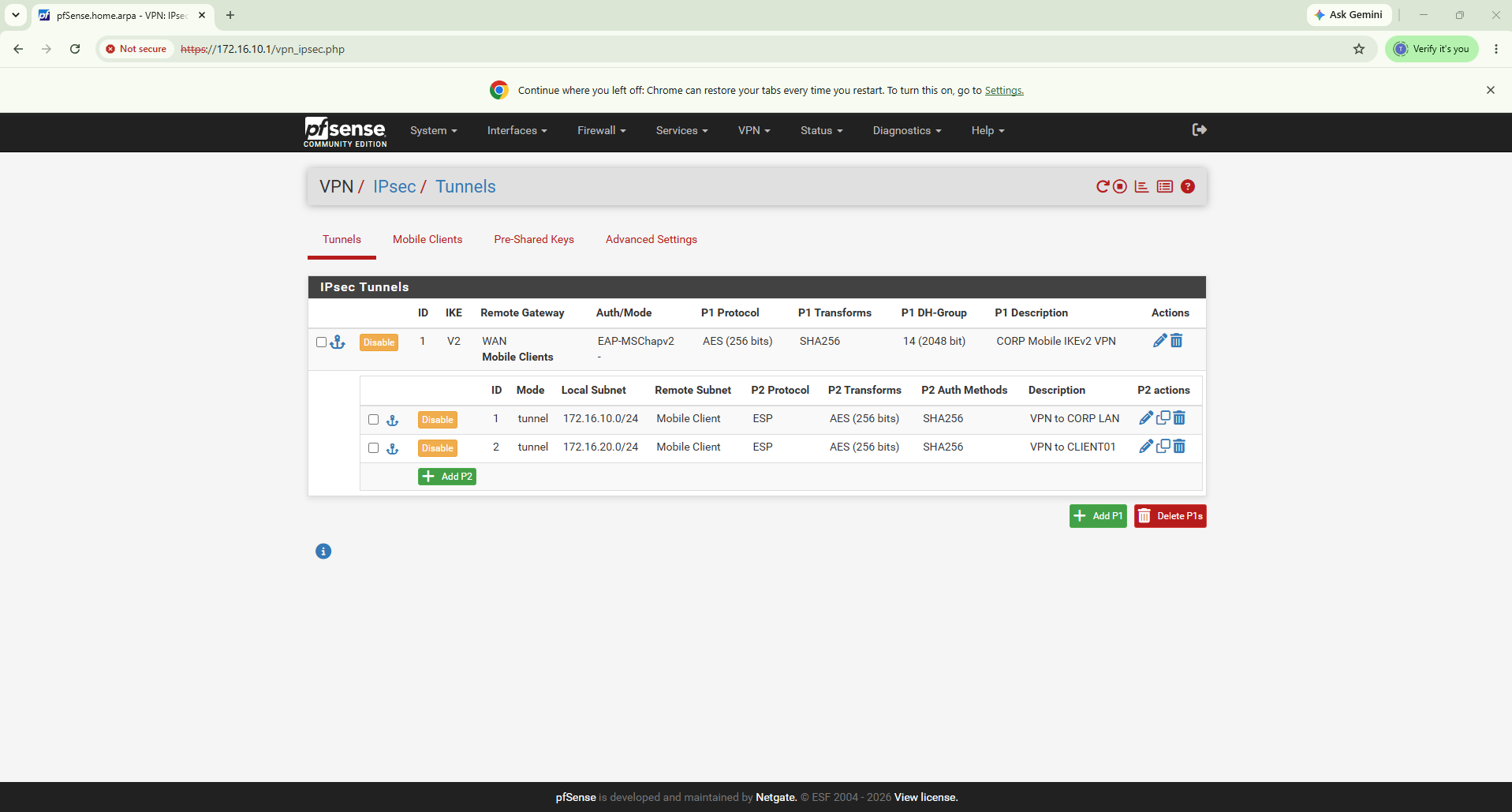
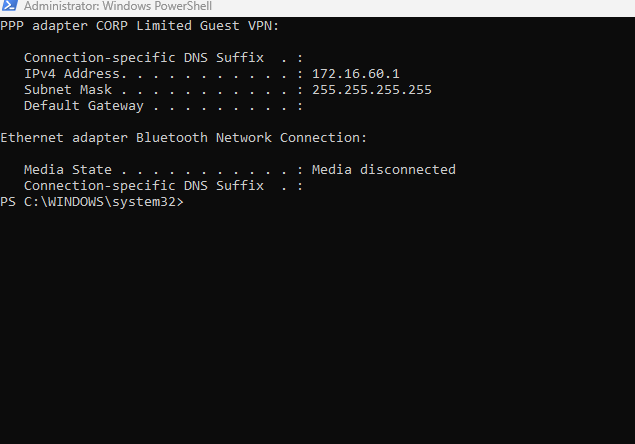
The VPN was configured on a Windows system using the built-in Windows VPN client. Connection status was validated through PowerShell.

Connected remote users receive an address from a dedicated VPN client subnet instead of being placed directly inside an internal LAN segment.
LEAST-PRIVILEGE ACCESS
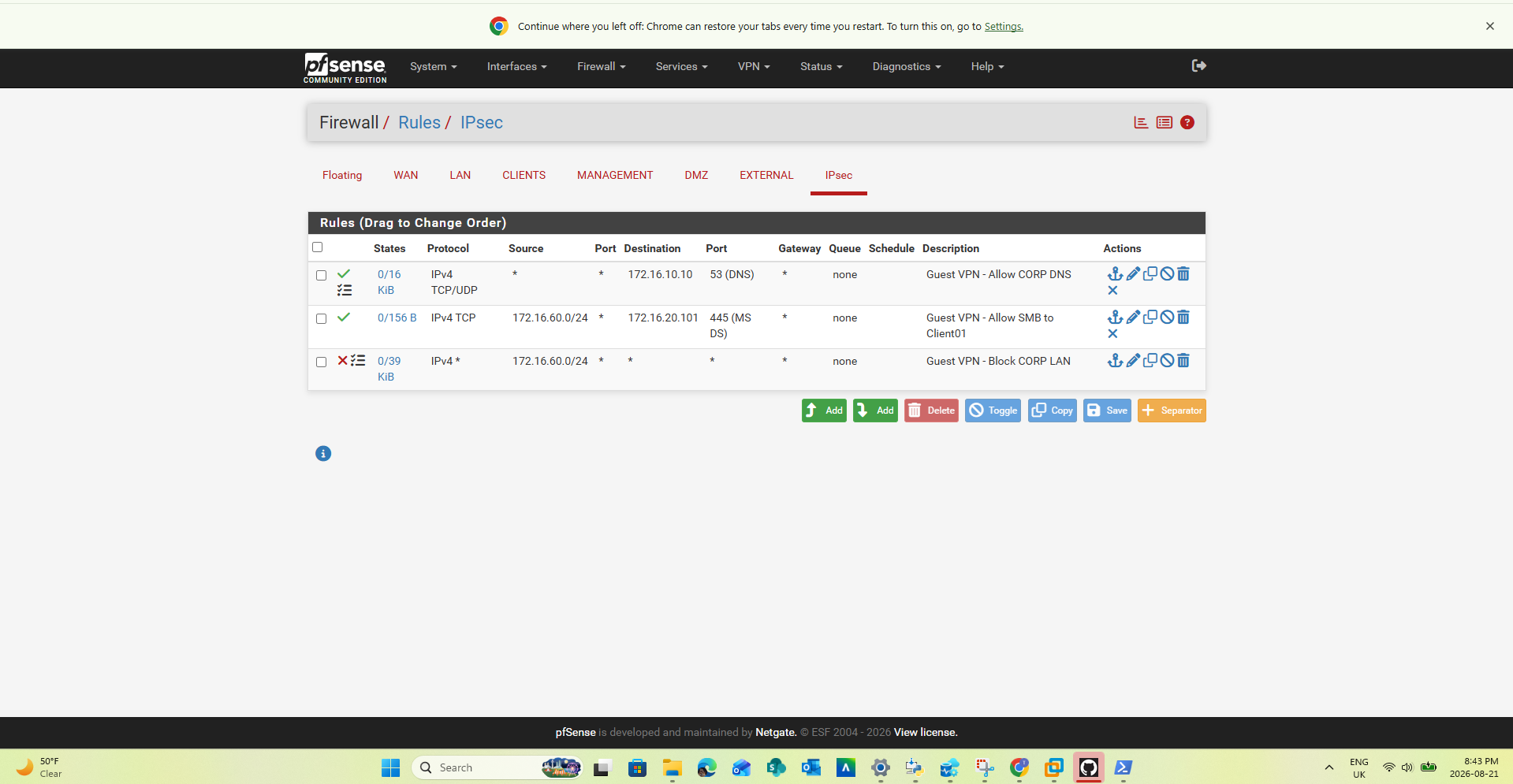
VPN users were not given unrestricted access to the corporate network. Specific rules permit only the required services, followed by restrictions against other internal traffic.
TCP/UDP port 53 is permitted to the corporate DNS server at 172.16.10.10.
TCP port 445 is permitted from the VPN subnet to the approved resource at 172.16.20.101.
Other access from the VPN client network toward corporate resources is blocked unless explicitly permitted.
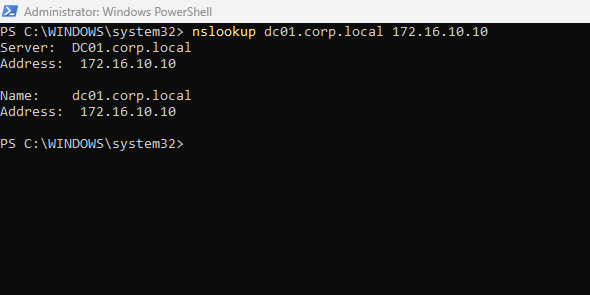
Remote users must be able to resolve approved internal resources without gaining unrestricted network access.
The firewall allows the VPN client to reach a specifically approved SMB resource while maintaining restrictions against unrelated internal services.

SECURITY VALIDATION
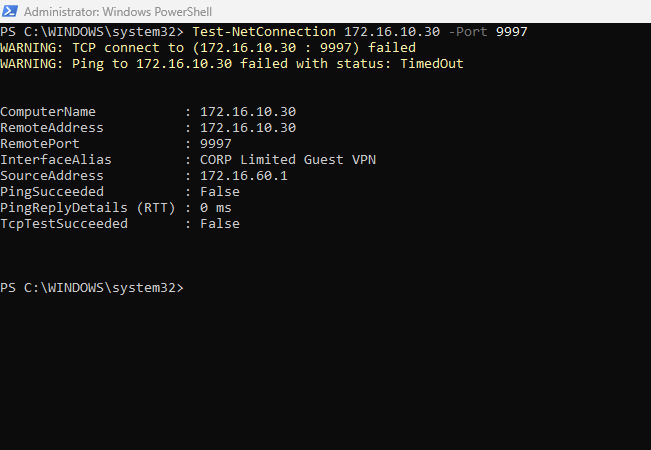
A secure VPN should prove both that permitted traffic works and that unauthorized traffic is denied.
PASS
Windows client successfully established
the IKEv2 remote-access VPN.
PASS
Remote client received an address
from the dedicated VPN subnet.
PASS
Internal DNS resolution worked through
the approved firewall rule.
PASS
Approved SMB access worked to the
designated internal resource.
BLOCKED AS EXPECTED
Unapproved access to the Splunk server
was denied.
VALIDATED
Access was limited to explicitly
permitted services.
SECURITY MONITORING
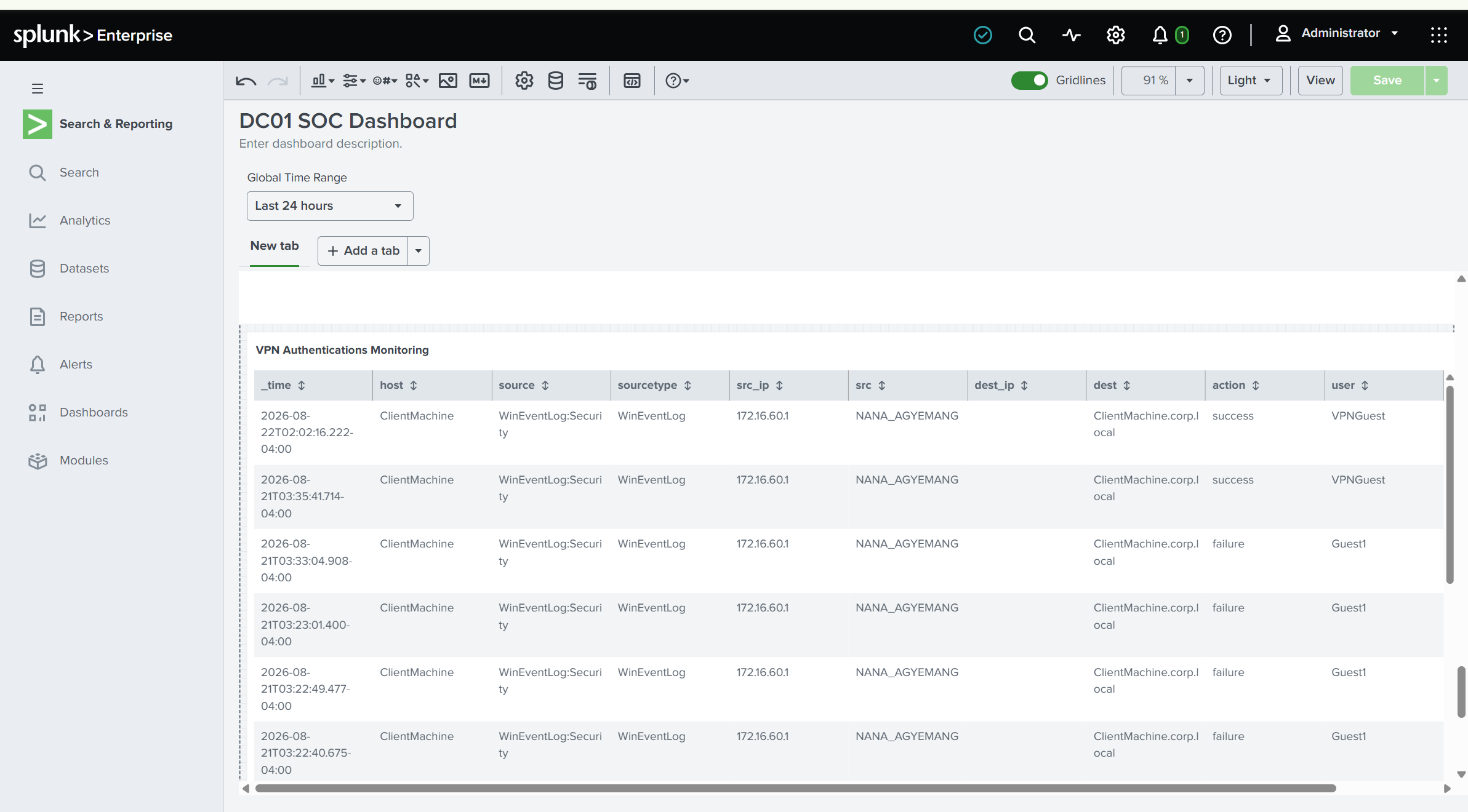
Authentication events associated with VPN activity were centralized in Splunk so successful and failed authentication attempts could be reviewed from the SOC environment.
Remote User
    |
    v
IKEv2 / IPsec Encryption
    |
    v
pfSense VPN Gateway
    |
    +---- Authentication
    |
    +---- Dedicated VPN Subnet
    |       172.16.60.0/24
    |
    +---- Firewall Policy
             |
             +---- DNS 53 ----------> ALLOW
             |
             +---- SMB 445 ---------> ALLOW
             |
             +---- Other Internal --> BLOCK
    |
    v
Windows Security Events
    |
    v
Splunk Enterprise
    |
    +---- Successful Authentication
    +---- Failed Authentication
    +---- Source Address
    +---- User Activity
    +---- SOC Investigation
The project required troubleshooting across VPN negotiation, routing, firewall policy, DNS, Windows networking, authentication, and monitoring.
Validated tunnel type, client connection state, authentication settings, and pfSense IPsec configuration.
Confirmed the Windows VPN adapter received the expected address from the dedicated remote-access subnet.
Tested internal DNS resolution directly against the corporate DNS server.
Validated allow and deny behavior using service-specific connectivity tests.
Confirmed authorized access to the approved remote file share.
Verified VPN-related authentication activity was visible in Splunk.
Operational IKEv2/IPsec VPN for Windows remote users.
Remote users placed into a dedicated 172.16.60.0/24 address space.
VPN users receive only the network access required by the use case.
Corporate DNS resolution successfully available to remote users.
Authorized SMB access works while unrelated internal access remains restricted.
VPN authentication activity visible in Splunk for investigation.
The GitHub repository contains additional implementation details, configuration steps, testing evidence, troubleshooting notes, and supporting documentation for the remote-access VPN project.